AI Warehouse Vision: Catching Problems Before They Become Downtime

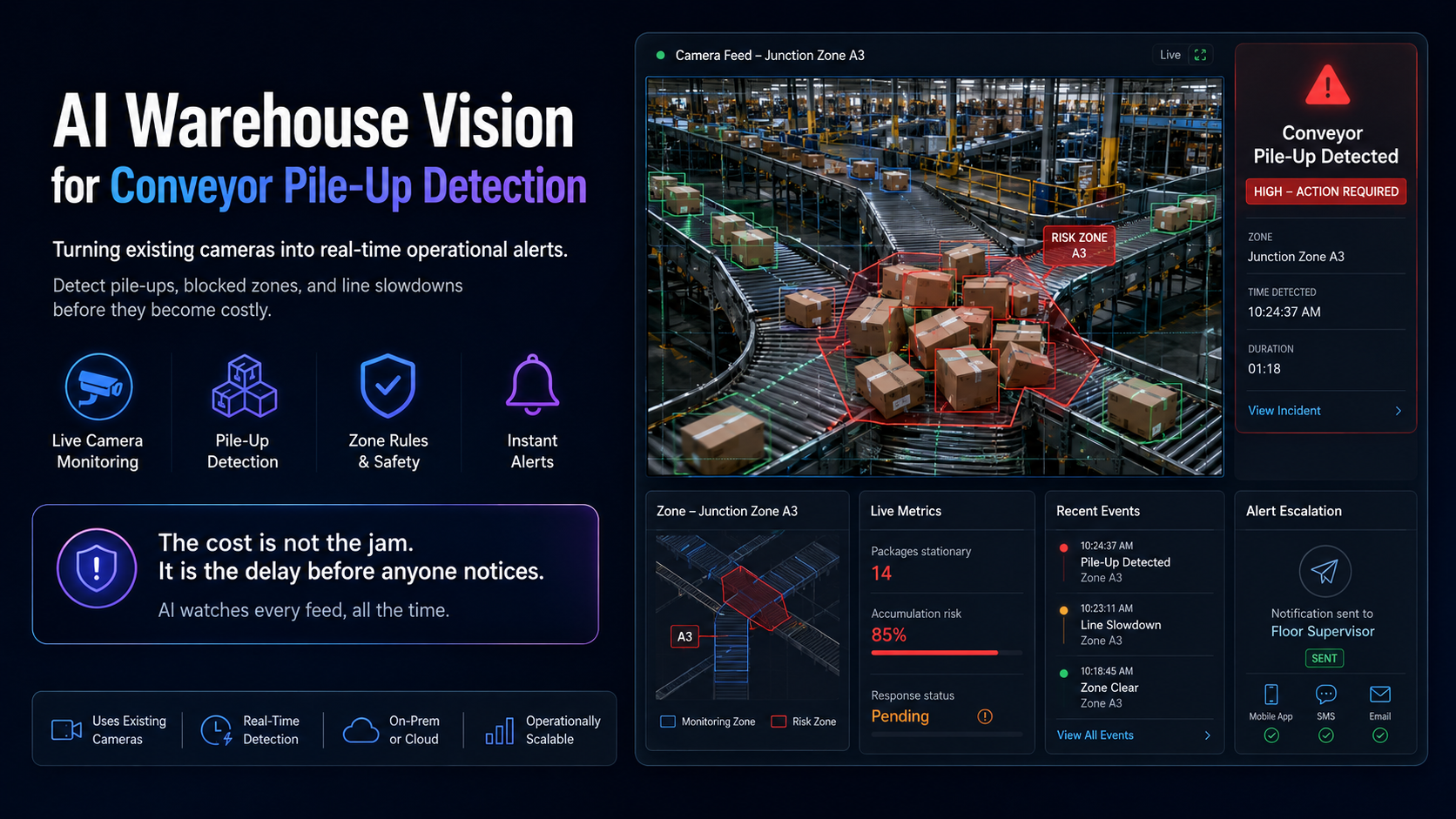
A conveyor pile-up is a small problem for about ninety seconds and an expensive one after that.
Packages back up at a junction. If someone notices immediately, they clear it and nothing happens. If nobody is looking at that camera at that moment, the backup grows, packages get crushed, the line stops, and a dispatch window is missed. The cost is not the jam. It is the twenty minutes between the jam forming and someone noticing.
Most warehouses already have cameras covering these areas. What they lack is someone watching all of them all the time, which is not a realistic thing to ask of a human. AI warehouse vision closes that gap.
Watch the demo
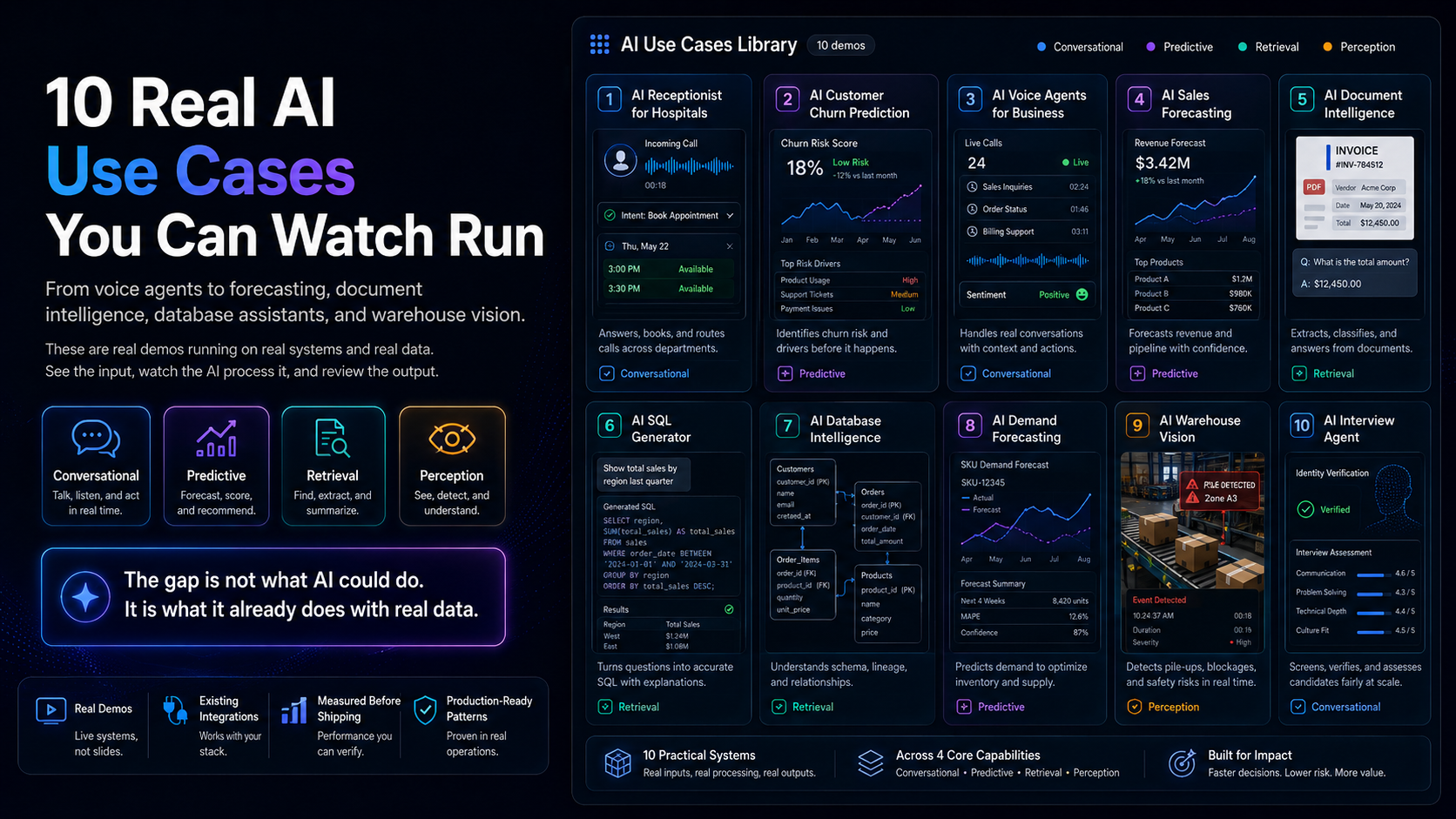
The demo shows live warehouse camera feeds processed by a computer vision model that identifies package pile-ups as they form and raises an alert in real time.
Why cameras alone do not solve this
Nearly every facility has CCTV. It is used almost entirely retrospectively: something went wrong, so somebody reviews the footage afterwards to work out what happened.
That is useful for investigation and useless for prevention. The value of a camera feed is highest in the moment, and that is exactly when nobody is watching. A person can meaningfully monitor a handful of feeds for a short period before attention degrades. A facility with forty cameras and one screen wall is not monitoring forty cameras.
Computer vision changes what the camera is for. It converts a recording device into a sensor that raises an alert.
How warehouse vision works
1. Ingest the video
Feeds come from existing cameras, usually over the standard streaming protocols they already support. In most deployments no new hardware is needed on the camera side, which is a significant part of why this is more accessible than it used to be.
2. Detect objects
A vision model identifies the things that matter in frame: packages, people, equipment, and the conveyor itself. This is the foundation layer, and it is now reliable enough on standard object types that it is rarely the limiting factor.
3. Track over time
A single frame is not enough. Detecting a pile-up requires understanding accumulation, which means tracking objects across frames and reasoning about density and movement over a window of time. A stationary package is normal. Fifteen packages stationary at a junction where they should be moving is not.
4. Apply zone and rule logic
Real facilities need spatial context. This junction should never have more than a few items. This walkway must stay clear. This area is off-limits during operation. Rules are defined per zone, because a condition that is an emergency in one place is normal in another.
5. Alert and escalate
The output that matters is a notification reaching the right person fast enough to act, on the channel they actually monitor, with the relevant clip attached so they can assess without walking over.
Where the value actually comes from
Downtime avoided. The gap between a problem forming and being noticed is where the cost accumulates. Compressing that gap is the primary return.
Damage prevented. Crushed goods are a direct write-off plus a customer service consequence.
Safety. Blocked walkways, people in restricted zones during operation, and equipment moving where it should not are all detectable, and the consequences of missing them are severe.
SLA protection. In fulfilment, a missed dispatch window can carry contractual penalties well beyond the operational cost.
Objective data. Over time the system produces a record of how often issues occur and where, which is a better basis for capital decisions than recollection.
Where it is harder than vendors admit
Computer vision has a genuinely higher infrastructure burden than most AI use cases. It is worth being direct about that.
Camera placement determines everything. Cameras installed for security are angled for faces and entrances, not for observing a conveyor junction. Existing cameras are often usable, but not always, and this is the first thing to assess honestly.
Lighting and environment. Warehouses have poor and variable lighting, dust, and glare. Models that perform well in clean conditions degrade in real ones. Test on your actual footage, in your worst conditions, before committing.
False alarms destroy trust faster than misses. A system that cries wolf gets ignored within a week, and then it is worse than nothing because people assume it is covering the area. Tuning the sensitivity threshold is the most important ongoing work, and it should be treated as a permanent process rather than a setup task.
Compute has to go somewhere. Processing many video streams in real time is computationally demanding. Doing it on-premise means hardware. Doing it in the cloud means sustained bandwidth for continuous video upload, which is often the constraint that decides the architecture.
Cameras record people. Employees are in frame. Depending on your jurisdiction, this carries obligations around notice, consultation, purpose limitation, and retention. Deciding this early is not optional, and involving staff representatives before deployment tends to determine whether the system is accepted or resented.
It detects, it does not fix. An alert with no one available to respond changes nothing. The operational process around the alert matters as much as the detection.
What deployment looks like
Six to twelve weeks, longer than most because of the physical dependencies.
Weeks 1 to 2. Assess camera coverage against the specific events you want to detect. Identify gaps. Collect real footage, including examples of the problem occurring.
Week 3. Define zones and rules with the people who run the floor, and agree the success metric, usually detection rate against acceptable false alarm rate.
Weeks 4 to 7. Build and tune against your own footage. Settle the compute architecture.
Weeks 8 to 10. Shadow mode. The system raises alerts but nobody acts on them yet, and every alert is reviewed for accuracy. This is where sensitivity gets calibrated, and skipping it is the most common cause of failed deployments.
Weeks 11 to 12. Live rollout with a defined response process.
That shadow period is not padding. Going live with an untuned threshold is the fastest way to have the system permanently ignored.
How to judge whether it is worth it
Estimate three things: how often these incidents occur, the average cost of one including downtime and damage, and the typical delay before someone notices. The reduction in that delay, multiplied by incident frequency and cost, is the return.
If incidents are rare, or your facility is small enough that someone always notices quickly, the honest answer is that this may not be your priority. This tends to pay off in high-throughput environments where the line running continuously matters.
Related use cases
For the planning layer rather than the floor, AI demand forecasting addresses what to stock. For a general view of how we scope this kind of work, see why most AI projects stall.
Browse everything in our AI use cases library.
Frequently asked questions
Can we use our existing cameras?
Often yes, if placement and resolution suit the events you want to detect. Cameras positioned for security are sometimes wrong for process monitoring. Assess this first.
Does the video need to leave our site?
Not necessarily. On-premise processing keeps footage local, which is frequently preferred for both privacy and bandwidth reasons. Cloud processing is simpler to operate but requires sustained upload capacity.
How accurate is detection?
Good on well-defined events with adequate camera coverage. The meaningful metric is not raw accuracy but the balance between catching real events and generating false alarms, which is tuned during shadow running.
What about employee privacy?
This must be addressed before deployment. Obligations vary by jurisdiction and typically cover notice, purpose limitation, and retention limits. Engaging staff representatives early materially improves adoption.
What else can it detect?
Beyond pile-ups: blocked walkways, unauthorised zone entry, missing protective equipment, forklift proximity to pedestrians, and dock utilisation. The architecture generalises once the video pipeline exists.
How many cameras can one system handle?
This is a compute question rather than a software limit. More streams need more processing capacity, which is the main cost driver in scaling.
AINinza is the AI practice of Aeologic Technologies, backed by over a decade of enterprise engineering. If you already have cameras but nobody watching them in the moment that matters, we are happy to assess whether your existing coverage would support this.